A practical guide for “AI travel group photo”
The app, recorded
See the controls before planning your trip portrait.
Watch scene selection and portrait preparation in this 15-second cut. This general demo does not show a completed travel portrait. The gallery is not proof that the selected portraits produced every image shown. Your interface and purchase choices may differ.
Prepare a destination-inspired scene.
Use one clear portrait per traveler, with everyone's permission. Check the current photo limit, then select the photos and an available scene in the app. Match clothing and light where possible. Nothing on this page transfers photos or a prompt into the app.
Keep the real trip photos.
The result is a new AI composition, not an exact photo edit or evidence that everyone visited the location together. Landmarks, details and resemblance can vary. Keep your original trip photos unchanged, inspect the result and label it as AI-generated before sharing.
Back to setup and app linksTravel scenes work best when source clothes and climate roughly agree. A winter coat portrait can still be used for a ski scene, but forcing it into a tropical beach increases visual inconsistency.
Landmarks can be stylized or imperfect. Treat the scene as destination-inspired and avoid using it as evidence of where or when someone traveled.
Three scenes that fit this idea
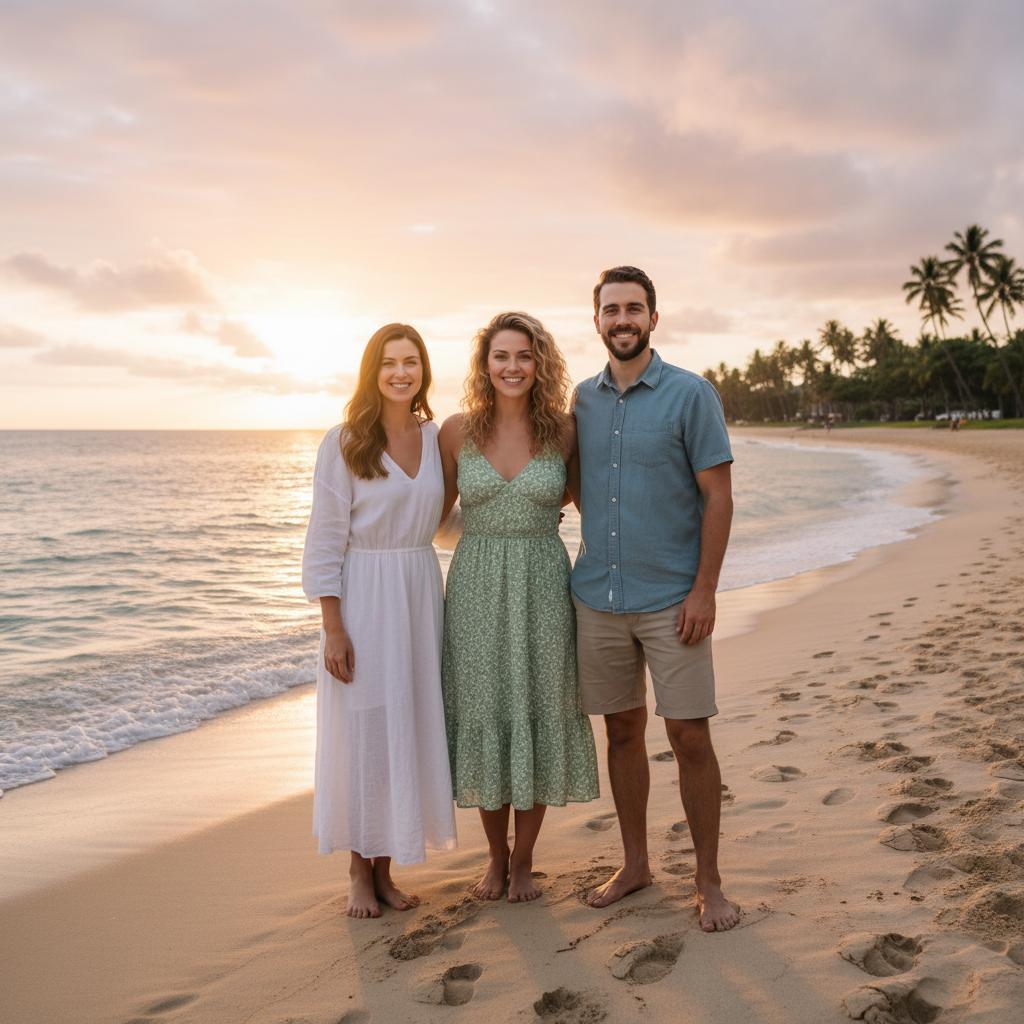
Beach sunset
Open space and warm light suit a relaxed friend or family group.
City overlook
A skyline creates a strong sense of place without relying on tiny signage.
Mountain lodge
Layered clothing and warm interiors work well for winter portraits.
Choose source photos the model can read
TogetherLens creates a new composition from the people you provide. It does not need matching backgrounds, but it does need clear facial information. Start with the original file when possible rather than a screenshot downloaded from a social network or messaging app.
- Match clothing to the destination climate.
- Choose portraits with similar sun or indoor light.
- Use a wide scene for three to five people.
- Keep each face fully visible and ask every living person for permission.
Generate in three deliberate steps
- Add the selected portraits.Check the group limit in your current app version. Use one clear, permissioned portrait per person and review every crop.
- Choose one or two vibes.Pick a scene that supports the story instead of competing with the faces.
- Inspect the result.Check eyes, teeth, hands, clothing, jewelry, and meaningful background details before sharing or printing.
TogetherLens is free to install. Photo generation uses paid tokens; Premium is optional and auto-renewing. Check current local prices, included tokens and renewal or cancellation terms in the app before buying.
What to avoid
- Exact claims about a trip someone did not take
- Tiny landmark text
- Mixing beachwear and winter clothing
Generated photos are creative images, not documentary evidence. Disclose that the result is AI-generated when context matters, and never use someone’s face to impersonate, embarrass, or mislead.
Questions about this portrait
Can I choose a city we plan to visit?
Yes. Describe the result as an AI-generated concept rather than a real trip photograph.
Can I combine vacation selfies with plain headshots?
Yes, although source images with similar expression and styling usually blend more naturally.