A practical guide for “sister photo prompt”
A photo prompt is the sentence you give an image tool to describe two people, a place, the light and the pose. Most prompts fail because they describe a mood instead of a picture: 'cute sisters photo' tells the tool almost nothing, while 'two sisters standing side by side in a plain studio, soft light from the left, both looking at the camera' tells it almost everything.
Copy any prompt below and edit the parts that describe your setting. If your image tool accepts reference photos, add one clear portrait of each person, because the reference is what keeps a face recognisable. Without references, the tool invents the people.
Sibling prompts need one more instruction than most pairs: say that the two people share a family resemblance. Without it, tools often draw two unrelated adults, and the picture stops looking like a family photo.
Four things change the result more than the rest of the sentence: the direction of the light, the pose and what the hands are doing, the framing, and the lens or look. Add those before you add adjectives.
If you would rather skip prompt writing, TogetherLens composes one picture from a portrait of each of you: choose a scene, and the app builds the image. Generation uses paid tokens, and Premium is optional.
Eight sister-photo prompts to copy
Copying these examples is free and copies text only. No photos are uploaded and no image is generated here. Adjust the wording to each sister's actual age and appearance; use reference portraits only with permission, including a parent or guardian's permission for a child.
Studio, matching tones
Two sisters standing shoulder to shoulder in a plain grey studio, visible family resemblance, soft diffused light from the left, both looking at the camera, relaxed hands, sharp focus on both faces, 85mm lens.
Bedroom, candid morning
Two sisters sitting on a bed in casual clothes, soft window light from one side, one leaning on the other, both laughing at something off camera, candid and unposed, warm neutral interior.
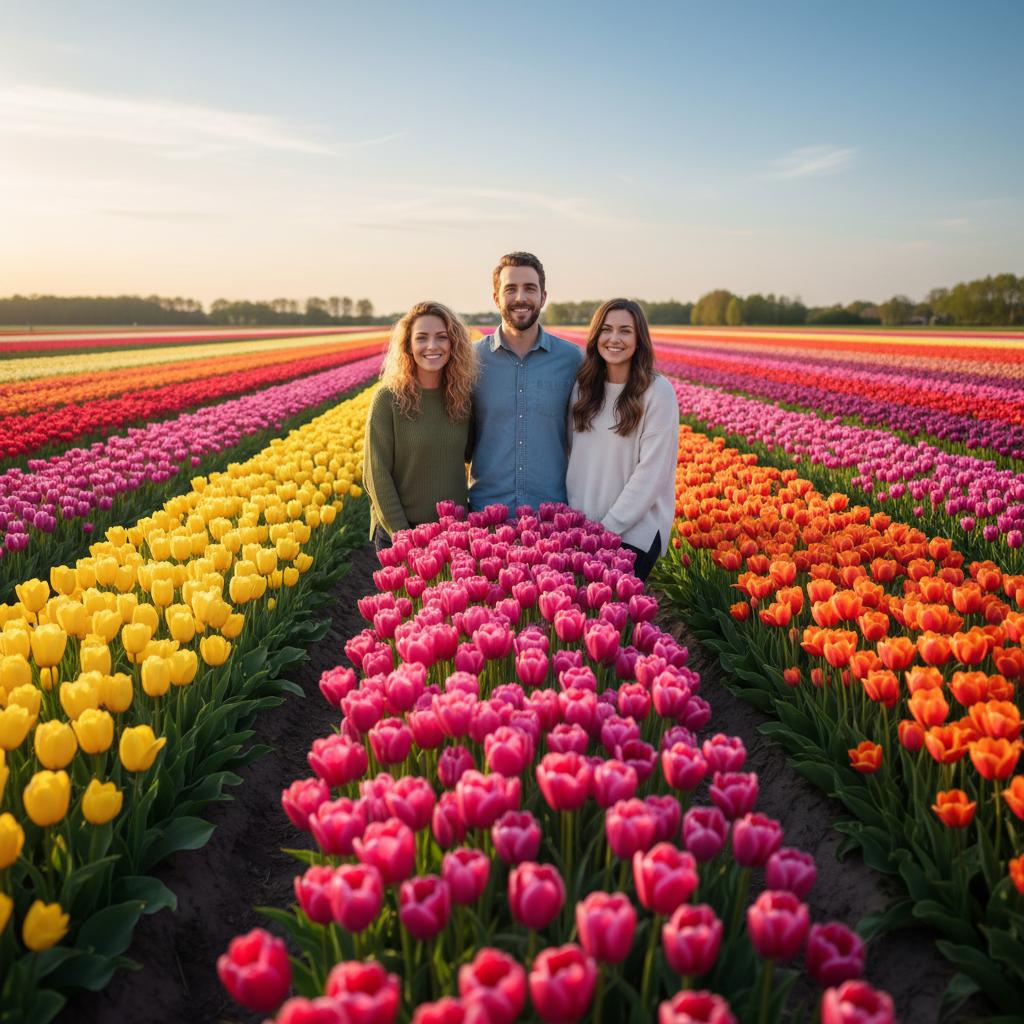
Field of flowers, golden hour
Two sisters walking through a field of tall flowers at golden hour, warm side light with faces still lit, matching casual summer clothing, mid stride, candid, shallow depth of field.
Festival at home
Two sisters in traditional festive clothing standing in a decorated living room, warm indoor light with no harsh shadows, both looking at the camera, hands relaxed, half length, natural skin texture.
City walk, overcast
Two sisters walking side by side down a city street on an overcast day, soft even light, shopfronts blurred behind them, winter coats, mid conversation, 35mm documentary look.
Wedding day, plain backdrop
Two sisters in evening wear in front of a soft neutral wall, even event lighting, both standing straight with hands relaxed, one holding a small bouquet, half length, 50mm lens.
Recreate a childhood photo
Two adult sisters recreating a childhood photograph, same pose and similar clothing, in a living room, direct flash look, slightly imperfect framing, faded colour palette.
Rooftop at sunset
Two sisters standing at a rooftop railing at sunset, warm rim light with a soft fill so both faces stay readable, city skyline behind them, relaxed posture, wide framing, natural colour.
Choose source photos the model can read
TogetherLens creates a new composition from the people you provide. It does not need matching backgrounds, but it does need clear facial information. Start with the original file when possible rather than a screenshot downloaded from a social network or messaging app.
- Say that the two people share a family resemblance
- State the light and its direction, not just that the lighting is nice
- Describe the pose and what each person is doing with their hands
- Add the framing and the look you want, such as 85mm or candid documentary
- Say what must stay readable: both faces, natural skin texture, no silhouette
- Use one clear reference portrait per person if your tool supports them
- Keep each face fully visible and ask every living person for permission.
Generate in three deliberate steps
- Add the selected portraits.Check the group limit in your current app version. Use one clear, permissioned portrait per person and review every crop.
- Choose one or two vibes.Pick a scene that supports the story instead of competing with the faces.
- Inspect the result.Check eyes, teeth, hands, clothing, jewelry, and meaningful background details before sharing or printing.
TogetherLens is free to install. Photo generation uses paid tokens; Premium is optional and auto-renewing. Check current local prices, included tokens and renewal or cancellation terms in the app before buying.
What to avoid
- Naming a real person whose face you do not have permission to use
- Filling the prompt with adjectives instead of describing the light
- Asking for identical faces when the two people are not identical
- Presenting an AI-composed image as a real photograph
Generated photos are creative images, not documentary evidence. Disclose that the result is AI-generated when context matters, and never use someone’s face to impersonate, embarrass, or mislead.
Questions about this portrait
What is a sister photo prompt?
It is the text you give an image tool that describes the two people, the setting, the light and the pose. The prompts on this page are written out in full so you can copy one and change the setting to match your own.
How do I make two people look like sisters in an AI photo?
Ask for a visible family resemblance in the first sentence, keep the ages close, and reference real portraits of both people. Without that instruction the tool often draws two unrelated adults.
Can I use these prompts with my own photos?
Yes, if your image tool accepts reference images. Add one clear portrait of each person, because the reference photo is what keeps a face recognisable. Without a reference the tool invents the people.
Which words in a prompt matter most?
The direction of the light, the pose and what the hands are doing, the framing, and the lens or look. Changing those four does more than adding more adjectives.
Can a prompt include more than two siblings?
Yes, but keep it to five people at most. Beyond that, faces get smaller and family resemblance is harder for the tool to hold.
Can I make a sister photo without writing a prompt?
Yes. TogetherLens lets you add one portrait of each person, pick a scene, and generate one picture. The scene picker replaces the prompt text.
Is it free?
TogetherLens is free to install on iPhone and Android. Photo generation uses paid tokens. Premium is optional; your app store shows available purchase options, prices and any renewal terms before purchase.