Up to five photos per check, on this device with no sign-up or photo upload. The checker measures technical basics, not identity or resemblance. It cannot guarantee an AI result or send photos into the app; select them again there.
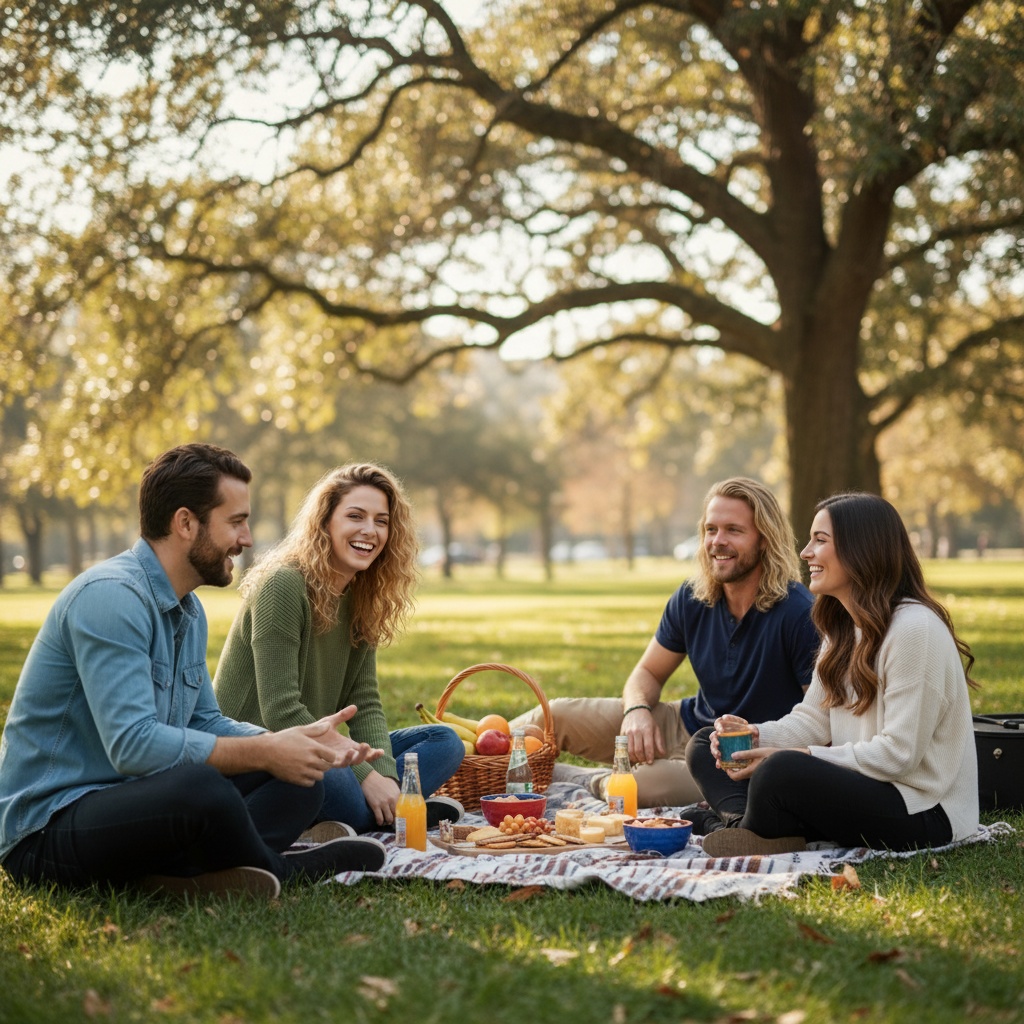
AI-generated example — inspect details before sharing or printing.
Before you ask for portraits · free text planner
Write a brother-and-sister photo prompt.
Choose the sibling pair, life stages and setting, then edit the text. The planner makes text only, with no sign-up, photo upload or image generation. The examples below also work without JavaScript.
Edits stay on this page and are not saved or included in a share link. Copy text you want to keep before leaving. Changing a choice keeps your edited text until you explicitly rebuild.
Read three sibling prompt examples
Brother and sister
Create an AI portrait of a brother and sister using one permissioned reference portrait per person. Both siblings are adults. Keep their actual ages and individual features. Seat them side by side at a park picnic table, with soft daylight and a simple background. Show a relaxed sibling relationship, not a romantic couple pose. Preserve two distinct faces, skin tones, hair and other individual features; do not blend faces or invent family resemblance. Keep both faces fully visible. Use the clothing in the reference portraits unless I specify a change. Keep hands unobstructed and anatomically plausible. This is a new AI composition, not evidence that they were together. Inspect both faces and label the result as AI-generated before sharing.
Two sisters
Create an AI portrait of two sisters using one permissioned reference portrait per person. Keep each sibling at their actual age and life stage. Do not make an older sibling younger or a younger sibling older. Seat them side by side in a living room, with soft window light and an uncluttered background. Show a relaxed sibling relationship, not a romantic couple pose. Preserve two distinct faces, skin tones, hair and other individual features; do not blend faces or invent family resemblance. Keep both faces fully visible. Use the clothing in the reference portraits unless I specify a change. Keep hands unobstructed and anatomically plausible. This is a new AI composition, not evidence that they were together. Inspect both faces and label the result as AI-generated before sharing.
Two brothers
Create an AI portrait of two brothers using one permissioned reference portrait per person. Both siblings are adults. Keep their actual ages and individual features. Place them side by side against a neutral studio background, with even light and a waist-up frame. Show a relaxed sibling relationship, not a romantic couple pose. Preserve two distinct faces, skin tones, hair and other individual features; do not blend faces or invent family resemblance. Keep both faces fully visible. Use the clothing in the reference portraits unless I specify a change. Keep hands unobstructed and anatomically plausible. This is a new AI composition, not evidence that they were together. Inspect both faces and label the result as AI-generated before sharing.
Agree on the portrait before choosing photos.
Ask each person before using their likeness. For a child, get a parent or guardian's permission and respect the child's wishes.
Use recent portraits and each person's actual age. Shared family features are not a reason to merge or replace faces.
Check the other image tool's supported inputs, privacy rules and prices. A prompt cannot guarantee likeness, correct hands or a particular result.
Prefer TogetherLens's app scenes? Add one portrait per sibling and choose a scene in the app. This text is not imported into TogetherLens. App generation uses paid tokens; Premium is optional and auto-renewing. Review current prices and renewal terms before buying.
TogetherLens is a sibling photo generator that composes one picture from separate portraits of brothers and sisters.
One recent, clear portrait per sibling gives the most natural result.
Three scenes that fit this idea
01
Park picnic
Relaxed outdoor setting for siblings.
02
Family home
Familiar backdrop for a casual picture.
03
Studio neutral
Clean backgrounds keep faces readable.
Choose source photos the model can read
TogetherLens creates a new composition from the people you provide. It does not need matching backgrounds,
but it does need clear facial information. Start with the original file when possible rather than a screenshot
downloaded from a social network or messaging app.
One clear portrait per sibling
Recent photos work best
Keep each face fully visible and ask every living person for permission.
Generate in three deliberate steps
Add the selected portraits.Check the group limit in your current app version. Use one clear, permissioned portrait per person and review every crop.
Choose one or two vibes.Pick a scene that supports the story instead of competing with the faces.
Inspect the result.Check eyes, teeth, hands, clothing, jewelry, and meaningful background details before sharing or printing.
TogetherLens is free to install. Photo generation uses paid tokens; Premium is optional and auto-renewing. Check current local prices, included tokens and renewal or cancellation terms in the app before buying.
Generated photos are creative images, not documentary evidence. Disclose that the result is AI-generated when
context matters, and never use someone’s face to impersonate, embarrass, or mislead.
Questions about this portrait
How does a sibling photo generator work?
Add one photo per sibling, choose a scene, and the app composes the picture.
Can adult siblings who live far apart appear together?
Yes, photos can come from anywhere.
Is the sibling photo generator free?
TogetherLens is free to install on iPhone and Android. Photo generation uses paid tokens. Premium is optional; your app store shows available purchase options, prices and any renewal terms before purchase.
Can I check sibling portraits before uploading them to the app?
Yes. The free Portrait Readiness Checker checks up to five photos at a time inside your browser, with no sign-up or photo upload. It measures resolution, light, sharpness and crop shape, not identity or family resemblance, and cannot guarantee an AI result. Ask permission before selecting someone else's portrait. Photos are not transferred into TogetherLens; select them again in the app. App image generation is separate and uses paid tokens; Premium is optional.
TogetherLens is free to install. Photo generation uses paid tokens; Premium is optional and auto-renewing. Check current local prices, included tokens and renewal or cancellation terms in the app before buying.