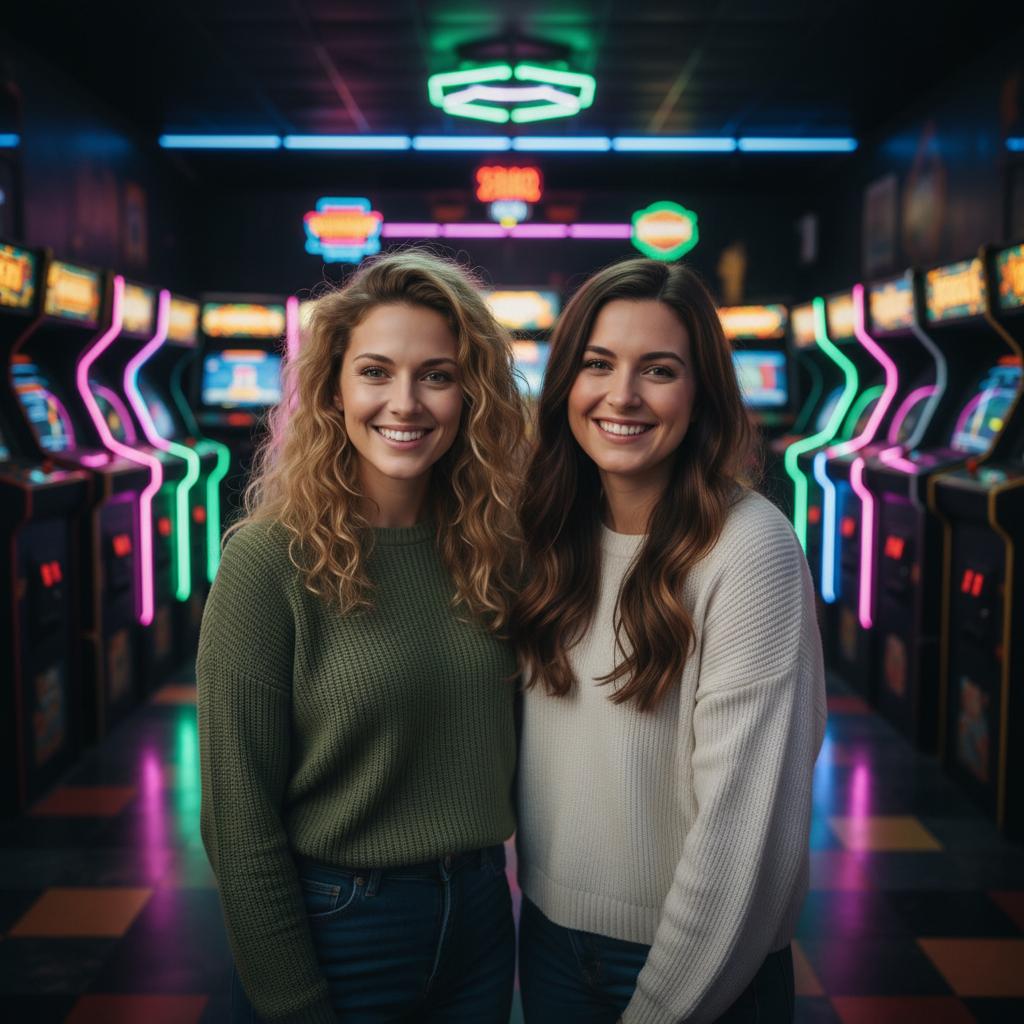
A practical guide for “long distance couple photobooth”
Free photo-date countdown
One photo date. Two places.
Use this beside your usual video call. Share one timer link manually, then take your own photos as three ten-second pose cues appear. No sign-up, camera access, photo capture or upload happens here.
This is not a live webcam room. Each device follows the start time in the link; clocks can differ. It does not connect or synchronize your cameras. Ask before taking, using or sharing anyone's photo.
Your screen
--:--
Create a countdown, or follow the three pose cues at your own pace.
- 01 / 10 seconds
Smile at your camera.
Each of you looks into your own lens. Take a photo yourself if you want one.
- 02 / 10 seconds
Turn a little.
Keep your face visible and try a slight turn. Use your own camera controls.
- 03 / 10 seconds
Give a wave.
Make the last frame playful. Nothing is recorded by this page.
The link contains only a start timestamp. It does not join a room or send a message. A new countdown creates a new link; clearing this screen does not cancel your partner's timer.
Keep the photos you chose to take.
Review your own photos and agree on which ones to share. The free layout keeps two finished photos in separate frames; it does not generate faces or a shared background. Photos stay in that browser tab unless you save or share the PNG. Label AI-created source images as AI-created.
Arrange two finished photos for freeFor a different scene, the free couple planner creates text only. Its prompt is not imported into TogetherLens. App photo generation uses paid tokens; Premium is optional and auto-renewing. Check purchase options and renewal terms before buying.
The five-minute answer
How to make a long-distance couple photobooth from two selfies
- Choose two clear portraits.Use one recent, front-facing photo for each person, with faces and hair edges visible and a similar camera angle.
- Choose a playful shared frame.Pick an arcade, photo-strip, or other scene that gives both faces enough room and fits the mood you want to share.
- Generate and review.Create the new AI composition, then inspect faces, hands, clothing, and spacing before sharing it as an AI-generated image.
Want to take the pictures live together? This guide plans a photobooth-style portrait from separate photos; it is not a live webcam room. TogetherLens creates a new shared composition in the app.
TogetherLens is free to install. Photo generation uses paid tokens; Premium is optional and auto-renewing. Check current local prices, included tokens and renewal or cancellation terms in the app before buying.
Start with a free scene setup and share the link with your partner so you can agree on the mood before choosing photos.
Each person can take their portrait separately, at a convenient time. Keep the camera near eye level and use soft light with both eyes visible.
TogetherLens creates a new AI composition from those portraits. It is not a live webcam room or a synchronized photobooth; app generation uses paid tokens. Premium is optional.
Three scenes that fit this idea
Arcade date
Try the retro arcade scene for a playful shared portrait, like the AI example on this page.
Rooftop reunion
Choose a sunset rooftop scene for an imagined evening together.
A familiar mood
Use the free planner to agree on a cozy or natural mood, then choose a suitable scene in the app.
Choose source photos the model can read
TogetherLens creates a new composition from the people you provide. It does not need matching backgrounds, but it does need clear facial information. Start with the original file when possible rather than a screenshot downloaded from a social network or messaging app.
- Use portraits from roughly the same height and angle
- Choose expressions with similar energy
- Keep each face fully visible and ask every living person for permission.
Generate in three deliberate steps
- Add both partners.Use one clear portrait for each partner and review both crops before continuing.
- Choose one or two vibes.Pick a scene that supports the story instead of competing with the faces.
- Inspect the result.Check eyes, teeth, hands, clothing, jewelry, and meaningful background details before sharing or printing.
What to avoid
- Very different ages from the intended moment
- Sharing without telling your partner
- Presenting the output as a real photograph
Generated photos are creative images, not documentary evidence. Disclose that the result is AI-generated when context matters, and never use someone’s face to impersonate, embarrass, or mislead.
Questions about this portrait
Can we take the photos from different cities?
Yes. You each provide a separate portrait; you do not need to take them at the same time. Agree on which photos to use before uploading.
Is this a live online photobooth?
No. TogetherLens generates a new AI portrait from separate photos. It does not connect webcams or run a shared camera session.
How does the AI compose the photo?
Add one clear portrait per person, pick a scene, and the app generates the picture.
Is it free?
TogetherLens is free to install on iPhone and Android. Photo generation uses paid tokens. Premium is optional; your app store shows available purchase options, prices and any renewal terms before purchase.