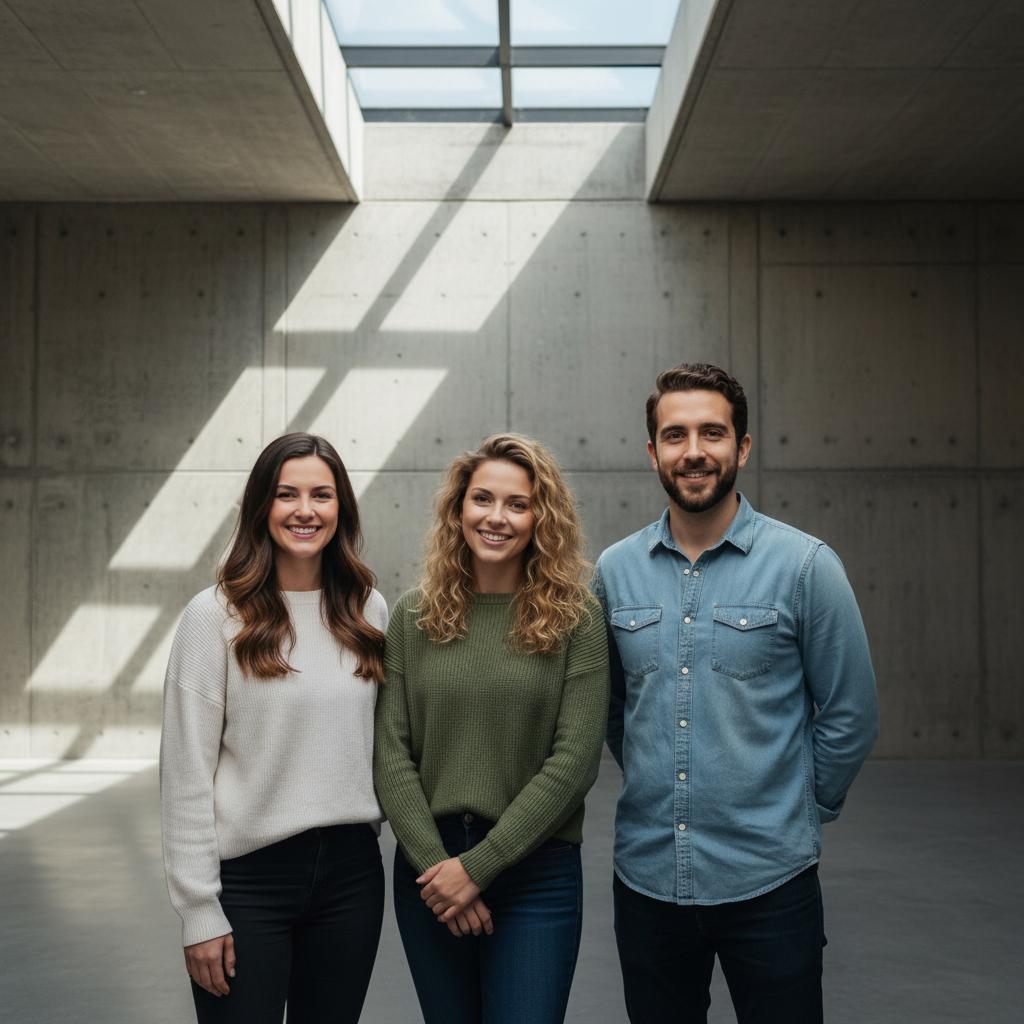
A practical guide for “group photo poses”
A group photo fails for one of two reasons. Either the rows are flat and the back row disappears behind the front row, or the camera is at eye level in the middle of the group, which makes the nearest people enormous and the far ones unreadable.
Fix the shape first. Two or three staggered rows, with the tallest people at the outer edges and the shortest in front, keeps every face in its own gap. A shallow V works better than a straight line because the shoulders overlap instead of blocking.
Then set the camera. Slightly above the group's eye level, far enough back that nobody is cut off, and straight on rather than tilted. If the group is large, shoot from higher up and ask everyone to look up at the lens.
Take one formal frame and then one where people talk. The second frame almost always looks better, and it costs you ten seconds. If someone who belongs in the picture could not be there, TogetherLens can compose a shared group photo from one clear portrait each.
Three scenes that fit this idea
Two staggered rows on steps
The most reliable group pose there is. Steps separate the heads vertically, and staggered bodies mean nobody sits directly behind a face.
Shallow V
Line everyone up but curve the ends toward the camera. Shoulders overlap instead of blocking, and the shape reads as deliberate.
Loose cluster, mid-conversation
Put everyone closer together than feels comfortable and let them talk for ten seconds. Shoot from just below eye level.
Walking forward
One or two rows moving toward the camera, shot from slightly ahead. Movement hides awkward hands and stops the group looking like a queue.
Sitting on a wall or kerb
One long seat solves the height problem instantly. Ask people to angle their knees in the same direction so the line stays tidy.
Back row peeking over
The back row leans in over the front row's shoulders. It works for close groups and looks livelier than two flat rows.
Everyone looking up at the lens
Shoot from above with the group looking up. Faces stay visible even at six or seven rows deep.
Circle from above
Everyone stands in a tight circle and looks up. Good for teams, and no one can be in the back.
The jump
Count down out loud and shoot on the second jump, not the first. Keep the whole group inside the frame by leaving headroom.
Arms on shoulders, one line
A single row with arms linked. It flattens a group into a clean horizontal, so keep it to six or fewer people.
Whole group doing one thing
All looking at one person, all pointing at the camera, all turning the same way. A shared action keeps large groups from drifting.
One frame that includes whoever is missing
For the friend abroad or the relative who could not travel, one clear portrait each is enough to build a shared group photo.
Choose source photos the model can read
TogetherLens creates a new composition from the people you provide. It does not need matching backgrounds, but it does need clear facial information. Start with the original file when possible rather than a screenshot downloaded from a social network or messaging app.
- One clear portrait per person, eyes open, no heavy filter
- Similar light on each portrait so nobody looks cut out
- Shoulders and hands visible, because a row of heads cannot be arranged
- Recent photos, taken within the last year or two
- Permission from everyone included before you generate the picture
- Keep each face fully visible and ask every living person for permission.
Generate in three deliberate steps
- Add the selected portraits.Check the group limit in your current app version. Use one clear, permissioned portrait per person and review every crop.
- Choose one or two vibes.Pick a scene that supports the story instead of competing with the faces.
- Inspect the result.Check eyes, teeth, hands, clothing, jewelry, and meaningful background details before sharing or printing.
TogetherLens is free to install. Photo generation uses paid tokens; Premium is optional and auto-renewing. Check current local prices, included tokens and renewal or cancellation terms in the app before buying.
What to avoid
- A flat front row standing directly in front of a flat back row
- Camera at the middle of the group rather than above and back
- Counting down more than twice, because the group disengages
- Presenting an AI-composed group photo as a real photograph
Generated photos are creative images, not documentary evidence. Disclose that the result is AI-generated when context matters, and never use someone’s face to impersonate, embarrass, or mislead.
Questions about this portrait
How do you pose a large group so everyone is visible?
Use two or three staggered rows on steps or a slope, tallest people at the outer edges, shortest in front, and put the camera slightly above eye level and far enough back. That combination keeps every face in a gap rather than behind someone.
Where should the camera be for a group photo?
Slightly above the group's eye level and straight on, not tilted. For a large group, higher up with everyone looking at the lens works better than eye level from the middle.
How many rows can a group photo have?
Three is comfortable, four works if you are shooting from above. Beyond that, faces get too small to read, so split the group into two photos instead.
What should a group do with their hands?
Link arms, put hands on shoulders, hold a prop, or hold a drink. The point is that hands are occupied, because a row of people with nothing to do reads as a line-up.
How many frames should we take?
Two or three. One formal frame, then one where the group talks. Counting down more than twice usually loses the group's attention.
Can we make one group photo if everyone is in a different place?
Yes. Add a clear portrait of each person in TogetherLens, pick a scene, and the app composes one picture with everyone in it.
Is TogetherLens free?
TogetherLens is free to install on iPhone and Android. Photo generation uses paid tokens, and Premium is optional; your app store shows the price and any renewal terms before you buy.