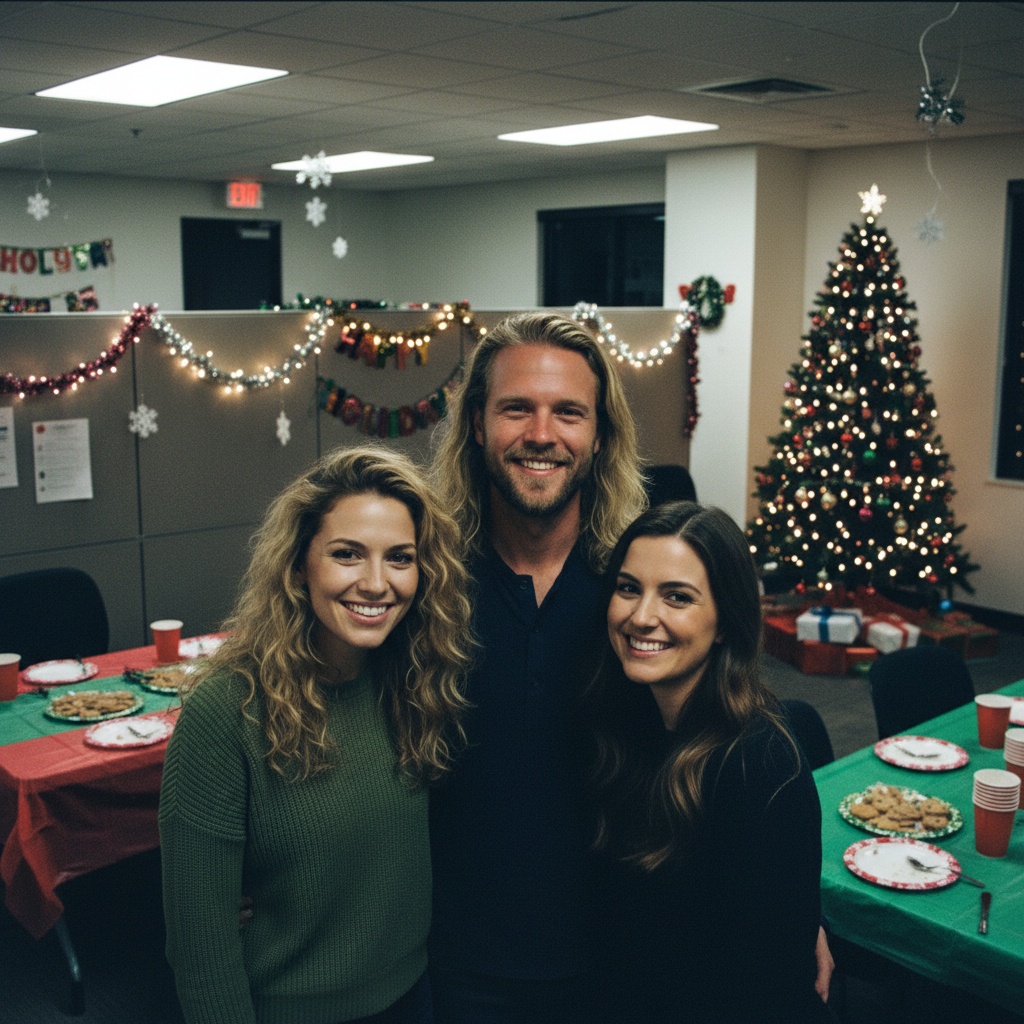
A practical guide for “funny group photo ideas for work”
You do not need AI to take a funny team photo together. Choose a comfortable setup, keep work information out of the frame and agree on sharing before taking the picture.
Five funny work-photo setups for a real camera
These are directions for a real camera or phone, not AI results. The ideas are free to read; this page does not upload photos or generate an image.
The serious stationery portrait
Treat a pen like a priceless artefact.
Sit or stand in one shallow row. Hold a plain pen or notebook at chest height and give the camera your most solemn expression. Keep props below faces.
No props? Fold your hands and keep the same deadpan expression.
One blank note, five different reactions
Everyone reacts to the same imaginary announcement.
Put a blank sticky note on an empty wall. Ask volunteers to look towards it with surprise, curiosity or amusement. Turn bodies slightly towards the camera so faces remain visible.
Choose your own expression. Nobody has to be the joke, and no real message or colleague is named.
The office album cover
Make a team photo look like a band portrait.
Use a plain wall and a loose staggered arrangement, seated or standing. Everyone looks at the camera with an intentionally serious face. Leave space around the group for a later crop.
Use stable chairs on the same floor. No desks, ladders, balancing or blocking walkways.
The pose echo
Repeat one comfortable gesture across the group.
Agree on a small gesture, such as a hand on the chin or a raised eyebrow. Repeat it while keeping every face visible. Take a second frame with everyone's own interpretation.
Offer a seated version or skip the gesture. No touching or matching physical ability is required.
Formal first, relaxed second
Photograph the same arrangement twice.
Take one straight-faced team portrait, then ask everyone to relax without moving their feet or chairs. Let the contrast carry the joke. Keep both frames if you want a before-and-after pair.
Agree on where each frame may be shared. A funny expression is not permission to publish it.
Before anyone steps into the frame
- Ask who wants to join and where the photo can be shared. Opting out is fine, including for an internal work chat.
- Use a level, accessible space with clear walkways. Offer seated positions without making them the punchline.
- Check the background for screens, customer details, badges and confidential paperwork. Use blank props, not real work documents.
- Take a test frame. Check that faces are visible, then show the result to the group before posting it.
For an optional AI keepsake
TogetherLens creates a new composition from the people you provide. It does not need matching backgrounds, but it does need clear facial information. Start with the original file when possible rather than a screenshot downloaded from a social network or messaging app.
- One clear portrait per colleague
- Office party light
- Keep each face fully visible and ask every living person for permission.
Create a separate AI scene (optional)
- Add the selected portraits.Check the group limit in your current app version. Use one clear, permissioned portrait per person and review every crop.
- Choose one or two vibes.Pick a scene that supports the story instead of competing with the faces.
- Inspect the result.Check eyes, teeth, hands, clothing, jewelry, and meaningful background details before sharing or printing.
For a separate AI composition, check photo limits in your current app version. Generation uses paid tokens; Premium is optional. Check current prices and terms before buying.
What to avoid
- Adding people without consent
- Using blurry or filtered photos
- Presenting the output as a real photograph
Generated photos are creative images, not documentary evidence. Disclose that the result is AI-generated when context matters, and never use someone’s face to impersonate, embarrass, or mislead.
Questions about this portrait
How can we take a funny work-group photo without AI?
Try a serious stationery portrait, a blank-note reaction, an office album cover, the pose echo or a formal-and-relaxed pair. Use comfortable seated or standing positions, blank props and a real camera or phone. Ask who wants to join and show the result before sharing.
What if some colleagues do not want to participate?
Let them opt out without explanation. Do not use their photos or make them the joke. Agree on where the image can be shared, and keep customer details, badges, screens and confidential paperwork out of the frame.
How does the AI compose the photo?
Add one clear portrait per person, pick a scene, and the app generates the picture.
Is it free?
TogetherLens is free to install on iPhone and Android. Photo generation uses paid tokens. Premium is optional; your app store shows available purchase options, prices and any renewal terms before purchase.