A practical guide for “family photo ideas”
Family photos are usually hard for one of two reasons. Either the children were done before the camera came out, or somebody was missing, because they live abroad, work weekends, or simply could not make that afternoon.
Work with the light and the nap schedule instead of against them. The hour after breakfast and the two hours before sunset both give soft light and reasonable moods. Anything in the middle of the day needs shade, and shade is easy to find: a porch, a doorway, a wall, or the north side of the house.
Pick the place you already are rather than a location that requires travel. A backyard, a front step or the kitchen table photographs better than it sounds, because everyone is comfortable and nobody has spent forty minutes in a car.
For the person who could not be there, you do not have to leave them out. TogetherLens composes a new picture from one clear portrait of each person, so the family photo can include everyone. Keep a real photograph for anything official, and label an AI-composed image when you share it.
Three scenes that fit this idea
Backyard, last hour of light
The most reliable family setup there is. Stand so the sun is behind your shoulders, put the tallest person at one end, and let the youngest stand in front rather than beside.
Front porch or front step
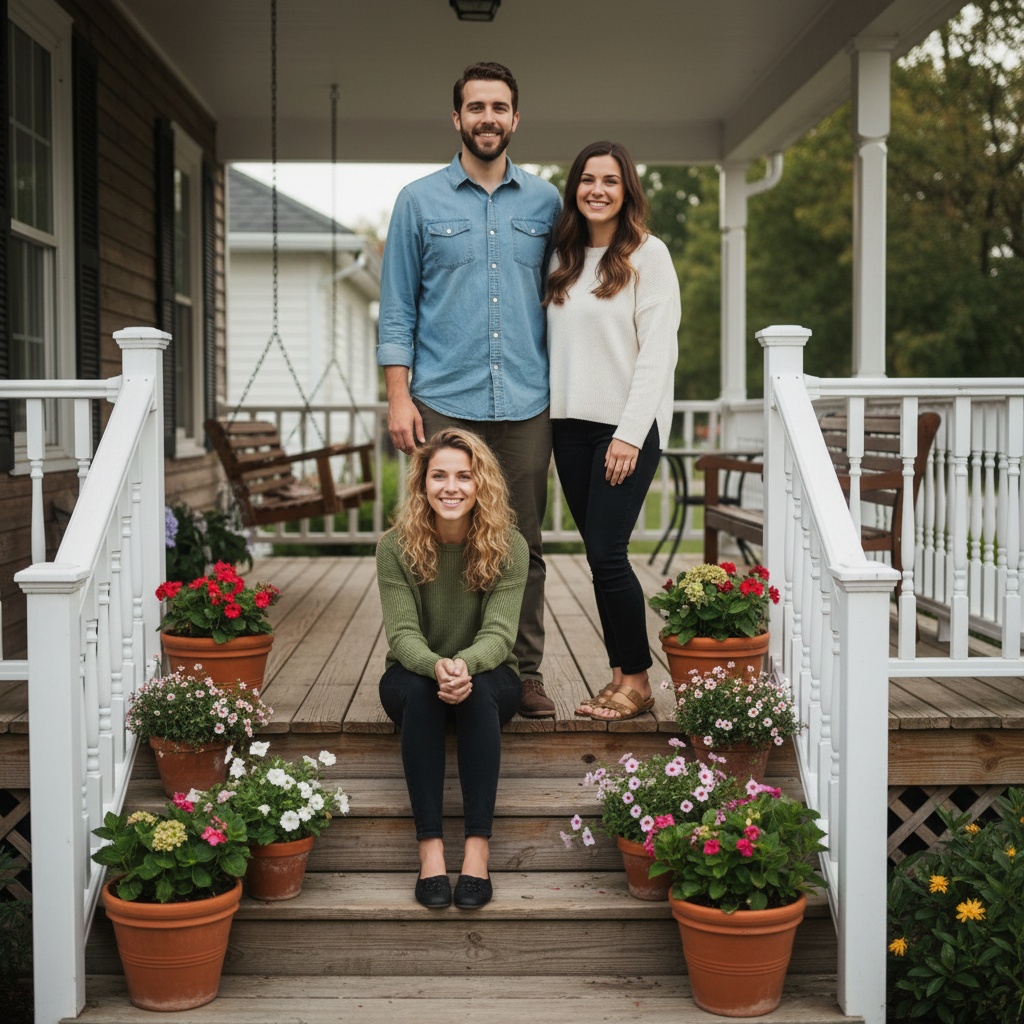
A porch gives you shade, a frame and somewhere to sit. Stagger people across two levels instead of lining everyone up on the same row.
Kitchen table
One window behind the camera is enough. A table gives everyone something to do with their hands, which is why candid family photos usually happen here.
Beach at low tide
Wet sand reflects light and gives you space. Shoot in the last hour before sunset and keep the horizon above the tallest head.
Autumn leaves
Colour does the work, so clothing can stay plain. Put the darker outfits next to the brightest leaves so nobody disappears into the background.
Apple picking or a farm
Everyone has a job and a prop. The walking between rows produces better photos than the posed shot at the end.
Living room with one window
Turn off the ceiling lights, sit the group side on to the window, and let the shadow side of faces fall naturally. This is the best indoor option on a rainy day.
A walk you already take
A trail, a canal path or the route to school. Walking photos hide awkward hands and let children move at their own pace.
Grandparents' house
The place holds the story. Photograph the doorway, the garden or the sofa that has been in every family photo for thirty years.
Neutral wall with matching tones
Choose two or three quiet tones and a plain wall, then let the faces carry the picture. It is the simplest way to make a large group look deliberate.
Holiday morning
Warm indoor light plus whatever is happening on the table. Shoot the reactions rather than the room, and accept that the photo will be slightly chaotic.
Recreate an old family photo
Find a photo from twenty years ago and rebuild the arrangement with whoever is still around. The differences are the point.
Choose source photos the model can read
TogetherLens creates a new composition from the people you provide. It does not need matching backgrounds, but it does need clear facial information. Start with the original file when possible rather than a screenshot downloaded from a social network or messaging app.
- One clear portrait per person, eyes open, no heavy filter
- Similar light on every portrait, so nobody looks cut out
- Shoulders visible, so the group has room to fit together
- Recent photos taken in the last year or two
- Permission from everyone in the picture before you generate it
- Keep each face fully visible and ask every living person for permission.
Generate in three deliberate steps
- Add the selected portraits.Check the group limit in your current app version. Use one clear, permissioned portrait per person and review every crop.
- Choose one or two vibes.Pick a scene that supports the story instead of competing with the faces.
- Inspect the result.Check eyes, teeth, hands, clothing, jewelry, and meaningful background details before sharing or printing.
TogetherLens is free to install. Photo generation uses paid tokens; Premium is optional and auto-renewing. Check current local prices, included tokens and renewal or cancellation terms in the app before buying.
What to avoid
- Shooting at the exact hour a toddler is tired
- Matching outfits top to toe, which reads as a uniform
- Midday sun with everyone squinting into the lens
- Presenting an AI-composed family photo as a real photograph
Generated photos are creative images, not documentary evidence. Disclose that the result is AI-generated when context matters, and never use someone’s face to impersonate, embarrass, or mislead.
Questions about this portrait
When is the best time of day for family photos?
The hour after breakfast or the two hours before sunset. If you have to shoot in the middle of the day, find open shade such as a porch or a doorway and keep the bright sky out of the frame.
What should a family wear for photos?
Two or three tones that sit well together, without large logos or busy patterns. Avoid dressing everyone identically, because slight variation reads as more natural.
How do we photograph a large family without it looking stiff?
Stagger the rows instead of lining everyone up, put the tallest people at the outer edges, and give everyone something to do with their hands. Take one formal frame and then let people talk.
How long should a family session take?
Thirty to forty-five minutes is plenty for young children, and about an hour for a larger group. Plan the frames you care about first, then stop while everyone is still enjoying it.
What if one family member lives abroad?
You can still make one family photo. Add a clear portrait of each person in TogetherLens, pick a scene, and the app composes a single picture with everyone in it.
How does the AI compose the photo?
It builds a new image from the source portraits you add, rather than editing the original photographs.
Is TogetherLens free?
TogetherLens is free to install on iPhone and Android. Photo generation uses paid tokens, and Premium is optional; your app store shows the prices and any renewal terms before you buy.