Remote-first startups still need polished team photos for landing pages, pitch decks, and investor updates. TogetherLens gives you reusable templates so the team looks like they were shot in the same room—no flights, no studio booking.
This walkthrough focuses on what the app actually delivers today: up to five faces per generation, vibe presets that lock lighting and backdrop, and quick regenerations for variations. Use it to build both a wide homepage hero and a tighter social header in under 10 minutes.
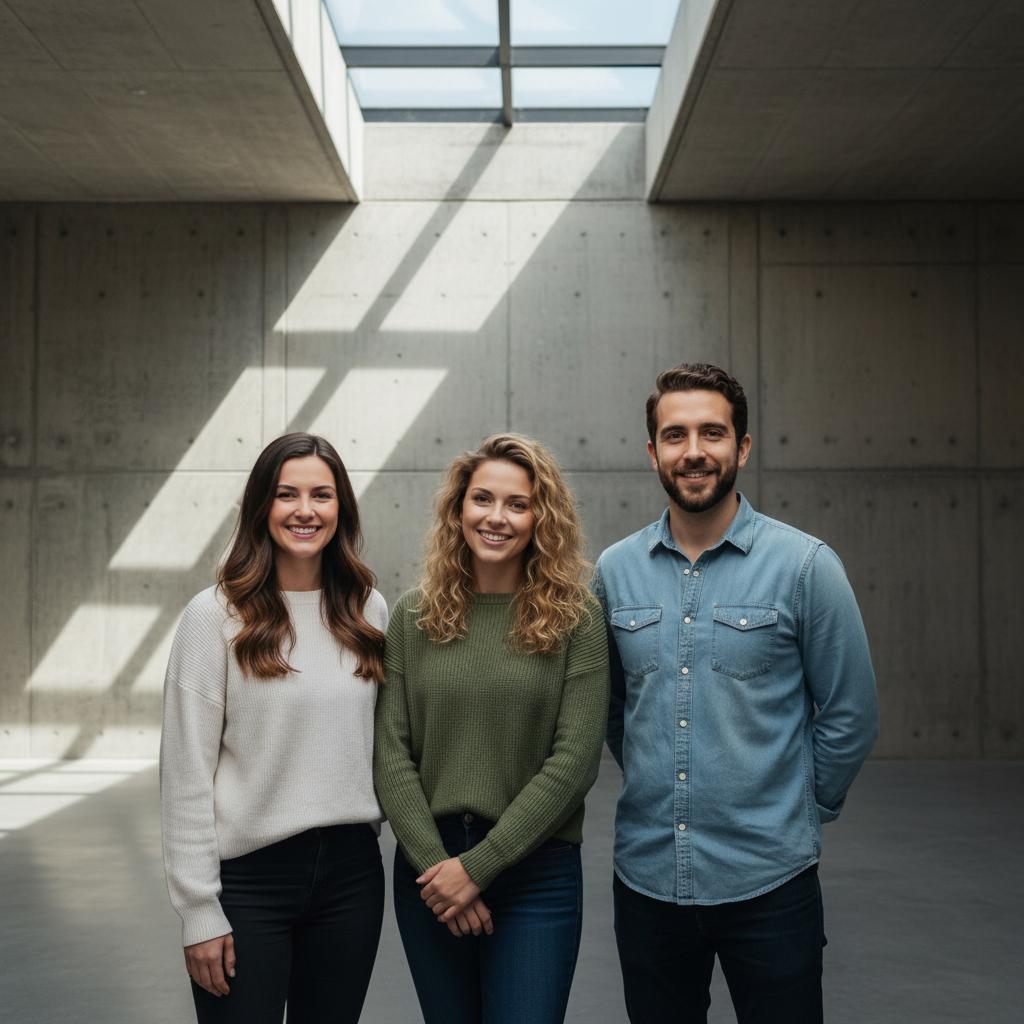
Pick a Template That Fits Your Brand
- Modern Office: Bright, soft light with minimal decor—ideal for SaaS and productivity tools.
- Editorial Studio: Directional light and darker backdrops for fintech or cybersecurity teams.
- Outdoor Rooftop: Golden-hour glow with skyline blur—great for brand personality and recruiting pages.
Brand Consistency Playbook
- Keep outfits neutral (black, navy, beige) so every face reads clearly against any preset.
- Limit accents to one brand color in small items (mugs, notebooks) instead of full outfits.
- Choose one vibe and reuse it across About, Careers, and social headers for coherence.
Step-by-Step: Build an On-Brand Team Shot
- Collect consistent selfies. Ask teammates for daylight selfies facing the camera. Avoid sunglasses and heavy filters.
- Select your vibe. Choose Modern Office, Editorial Studio, or Outdoor Rooftop to lock in lighting and mood.
- Choose layout. Landscape works best for hero sections; portrait for About page cards. Use “balanced heights” to avoid awkward stacking.
- Add props sparingly. Laptops or notebooks signal “work mode” without clutter. Keep hands visible for realism.
- Generate and compare. Create a few variants, shortlist 2, then regenerate the winner with small pose tweaks for diversity.
Hero vs Social Header
- Homepage hero: Landscape, leave negative space on left/right for copy.
- LinkedIn header: Slightly tighter crop; keep all heads above the lower third.
- X/Twitter header: Test one tighter version to survive aggressive mobile crops.
Deliverables to Save
- Hero image: 16:9 high-quality version for the homepage and press kit.
- Social header: 1.91:1 or similar for LinkedIn/Twitter/X.
- Slide cover: 16:9 with extra padding so text overlays don’t cover faces.
Troubleshooting
- Glare on glasses: Ask for a second selfie without glare or slightly turn the head.
- Mismatched lighting: Pick a neutral preset first, then regenerate with a subtle warmth.
- Spacing too tight: Regenerate with a wider frame; keep to 5 people max.
FAQ
How do I match our brand look?
Pick a vibe/style that reflects your brand—Modern Office, Outdoor Rooftop, or Editorial Studio—and keep outfits neutral so the scene stays flexible across pages.
Can I swap office backgrounds?
Yes. Choose presets like Modern Office, Natural Light Studio, or Skyline Rooftop. You can regenerate the same pose with new backdrops to A/B test quickly.
What aspect ratios should I export?
Save a wide (16:9) version for hero banners and a tighter version for social headers. Keep a high-quality copy for decks or press requests.
Is my team’s data private?
Only upload photos you have rights to use. TogetherLens processes images securely and focuses on likeness preservation without reselling your data.
Generate your remote team photo in minutes
Install free on iOS & Android.
- Photorealistic AI results
- Multiple styles and poses
- Private and secure