It has never been harder to get everyone in the same place for a great picture. Someone is traveling, another person blinked, and the background is a mess. TogetherLens fixes that by letting you create photorealistic group and couple photos with AI—no studio, matching outfits, or expensive photographer required.
This guide walks you through the exact inputs that make TogetherLens shine: up to five faces, clear source photos, and the right vibe presets. We’ll cover lighting, posing, spacing, and simple regeneration loops so you can land a natural-looking result fast.
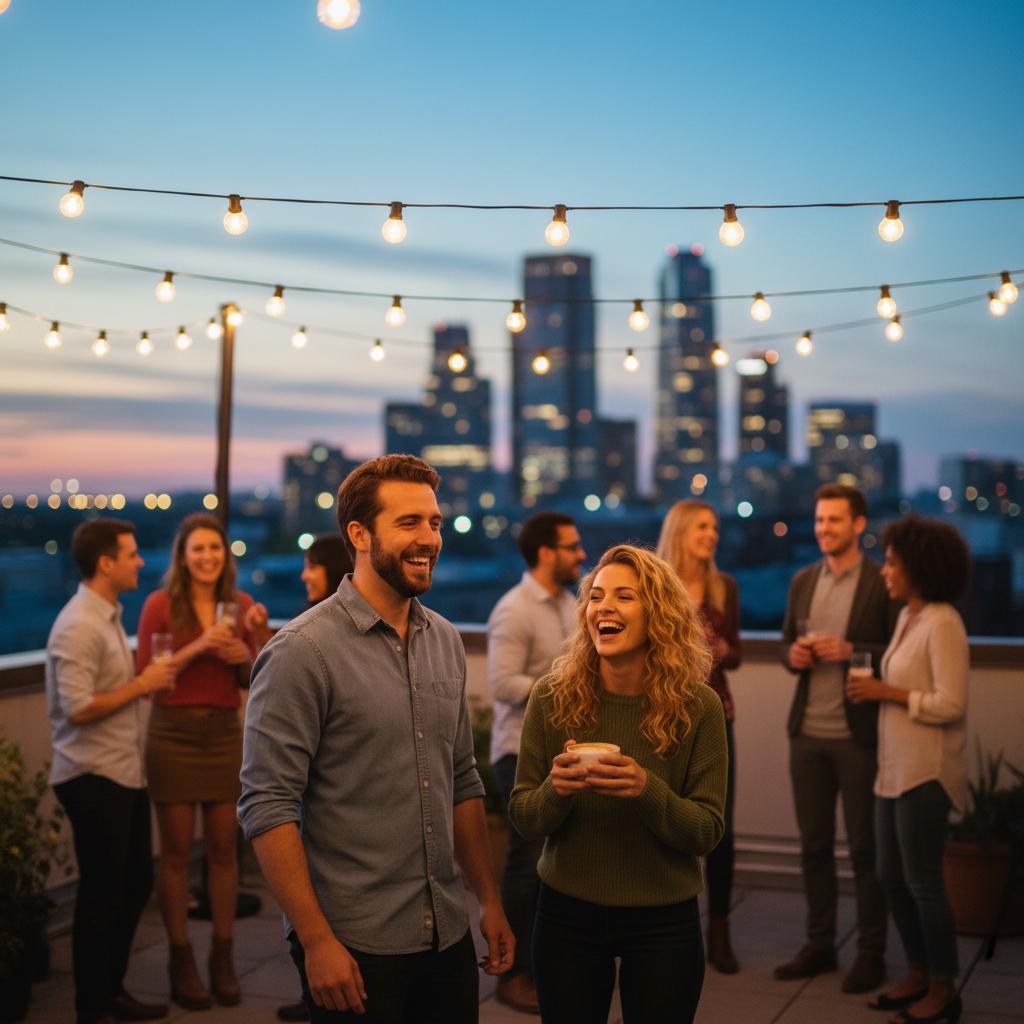
What Makes TogetherLens Different
- Face-first accuracy: Upload the faces you want and TogetherLens keeps skin tones, smiles, and likeness consistent.
- Preset vibes/styles: Choose from casual selfies, pro headshots, wedding portraits, holiday cards, or on-brand team looks.
- One-tap backgrounds: Swap in beaches, skylines, offices, studios, or seasonal scenes without manual edits.
- Ready to share: Save high-quality results sized for social or personal sharing.
Source Photo Rules That Keep Faces Sharp
- Use daylight or bright indoor light; avoid colored LEDs that tint skin.
- Face the camera; slight head turns are fine, heavy profiles are not.
- Skip sunglasses and heavy face filters; keep hair visible to avoid odd edges.
- Shoulders in frame help the model place clothing realistically.
How to Create the Perfect AI Group Photo (5 Steps)
- Add your faces. Upload clear, well-lit headshots for each person. Multiple angles (front + slight profile) improve realism.
- Pick the vibe. Select a preset like “Outdoor Golden Hour,” “Studio Portrait,” or “Wedding Editorial” to lock in lighting and mood.
- Arrange the group. Use TogetherLens’ composition suggestions to balance heights and keep everyone visible.
- Fine-tune. Use the preset controls to balance spacing and background focus so every face stays sharp.
- Generate & refine. Create a batch, pick your favorite, then regenerate with tiny tweaks (pose or expression) until it’s right.
Pose Recipes for Up to Five People
- Triangle (3 people): One seated, two standing behind at slight angles.
- Stacked (4 people): Two front, two back; vary head heights by ~10–15% to avoid flat lines.
- Chevron (5 people): Center anchor, two on each side stepping forward half a foot.
Pro Tips for Photorealistic Results
- Use source photos with even lighting and no heavy filters; avoid sunglasses when possible.
- For mixed lighting (indoor + outdoor), start with neutral presets and add warmth later.
- Keep hair and clothing visible in uploads—hats and hoods reduce fidelity.
- Use neutral tops to keep the style adaptable across office, outdoor, or studio presets.
- Generate two compositions: a tight crop for avatars and a wider crop for banners.
Common Mistakes to Avoid
- Uneven lighting in source selfies: Causes mismatched skin tones. Re-shoot in similar light.
- Too many faces: Stay at 5 or fewer for best fidelity; split larger groups into two shots.
- Heavy filters: Reduce texture and create plastic skin—avoid.
Best Use Cases
TogetherLens shines whenever a real photographer or in-person meetup is impractical:
- Remote teams: Create consistent “team on-site” photos for About pages, press kits, and investor updates.
- Weddings & engagements: Fill in missing family members, create “what-if” bridal party shots, or preview album looks.
- Family reunions: Combine relatives across continents into one holiday card without time-zone math.
- Couples & friends: Generate date-night photos, travel postcards, or anniversary prints when you can’t be together.
Example Workflow: Remote Startup Team Photo
- Upload 2–4 clear selfies per teammate (front-facing, good light).
- Select the “Modern Office” preset and choose landscape orientation.
- Generate several variants; pick one wide shot for the website hero and one tighter shot for social profiles.
- Save the high-resolution version for decks or press, plus a lighter version for quick sharing.
Micro-Checklist (Print or Save)
- Faces: ≤5, bright, front-facing, no sunglasses.
- Preset: pick one vibe, stay consistent across regenerations.
- Spacing: vary heights; avoid perfect straight lines.
- Exports: save one high-quality, one lightweight shareable.
FAQ
What photo quality works best for TogetherLens?
Bright, front-facing selfies without heavy filters give the AI the most detail. Include a couple of slight-angle shots to keep hair and jawlines consistent.
How many people should I add per generation?
Groups of up to 5 people render most reliably today. For bigger parties, create a couple of smaller groups first.
Can I pick outfits and backgrounds?
Choose vibes/styles such as studio, outdoor golden hour, or office to steer lighting and background while keeping the look cohesive.
Are the exports high-resolution?
You can download high-resolution results suitable for saving and sharing.
Create your first AI group photo today
Install free on iOS & Android.
- Photorealistic AI results
- Multiple styles and poses
- Private and secure
Need inspiration? Browse presets inside the app, combine poses, and save your favorite looks as reusable templates for future shoots.